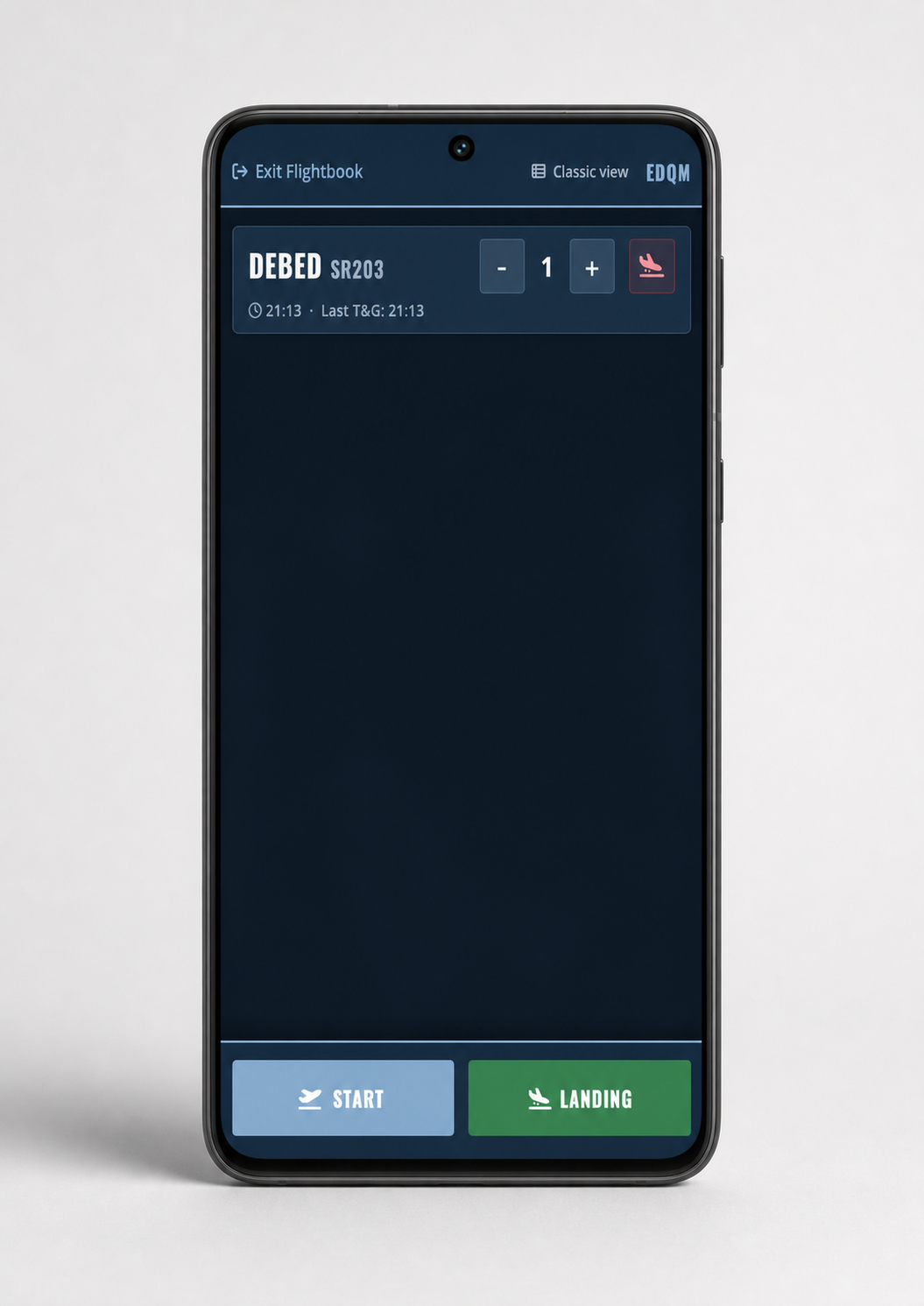
aerops Flight Recording brings planned, automatically detected and manually recorded flight movements together in one central operational view. Approaches, planned departures, landed aircraft and apron positions are immediately visible, including registration, aircraft type, flight category and passenger data.
Load aircraft data automatically
As soon as a registration is entered or detected, aerops loads the corresponding aircraft object. Recurring values such as flight category or PAX can be predefined for individual registrations. The data is ready for flight recording and only needs to be checked or adjusted when required.
Automatically identify origin and planned movements
For arriving aircraft, aerops identifies the origin using connected data sources and networks, including JETVISION data and AFTN messages. Planned arrivals and departures from flight plans, handling orders and PPR requests are shown in the strip system before the actual movement.
Airport operations can see expected traffic at an early stage, match planned and actual movements directly and avoid unnecessary duplicate entries.
Traffic flows, duplicates and forecasts
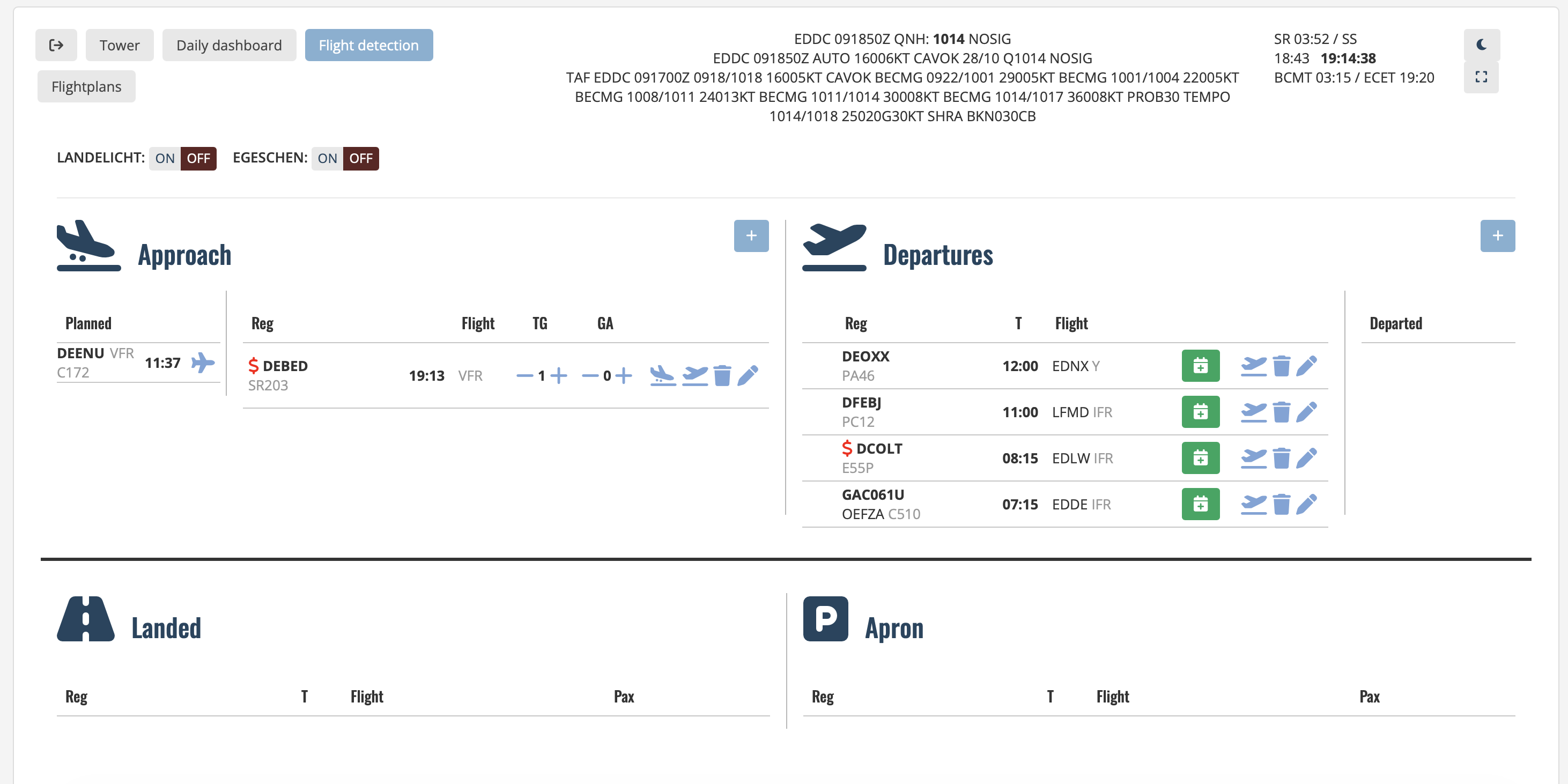
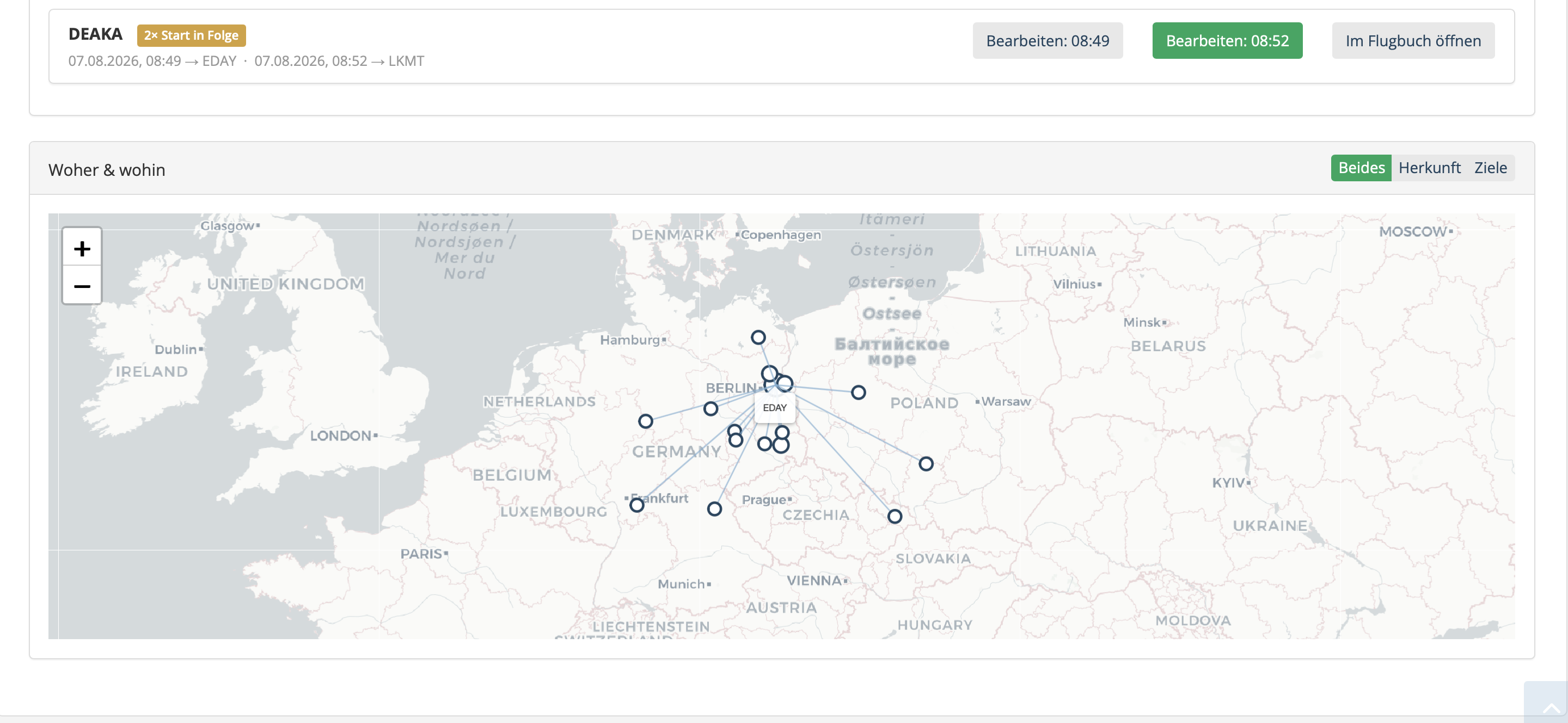
Interactive origin and destination maps make traffic flows immediately visible. Operators can review top aircraft, most frequent destinations, top customers, traffic trends, comparisons and forecasts for the coming days. Potential duplicate records and unusual data can be checked before they affect billing, the flight log or statistics.
Flexible for every airport operation
The system can be operated by mouse, touchscreen or individually configured keyboard shortcuts. Input fields can be shown or hidden dynamically. At unattended airfields, traffic can be recorded automatically; an optional Radio Record module can capture the corresponding radio transmissions.
Dashboards and quick analysis
Recorded flight movements are automatically presented in clear visual dashboards. Daily, monthly and annual views show movements, departures, landings and touch-and-go traffic in direct comparison. Weather, public holidays and comparison periods can be included immediately.
Mobile flight recording in seconds
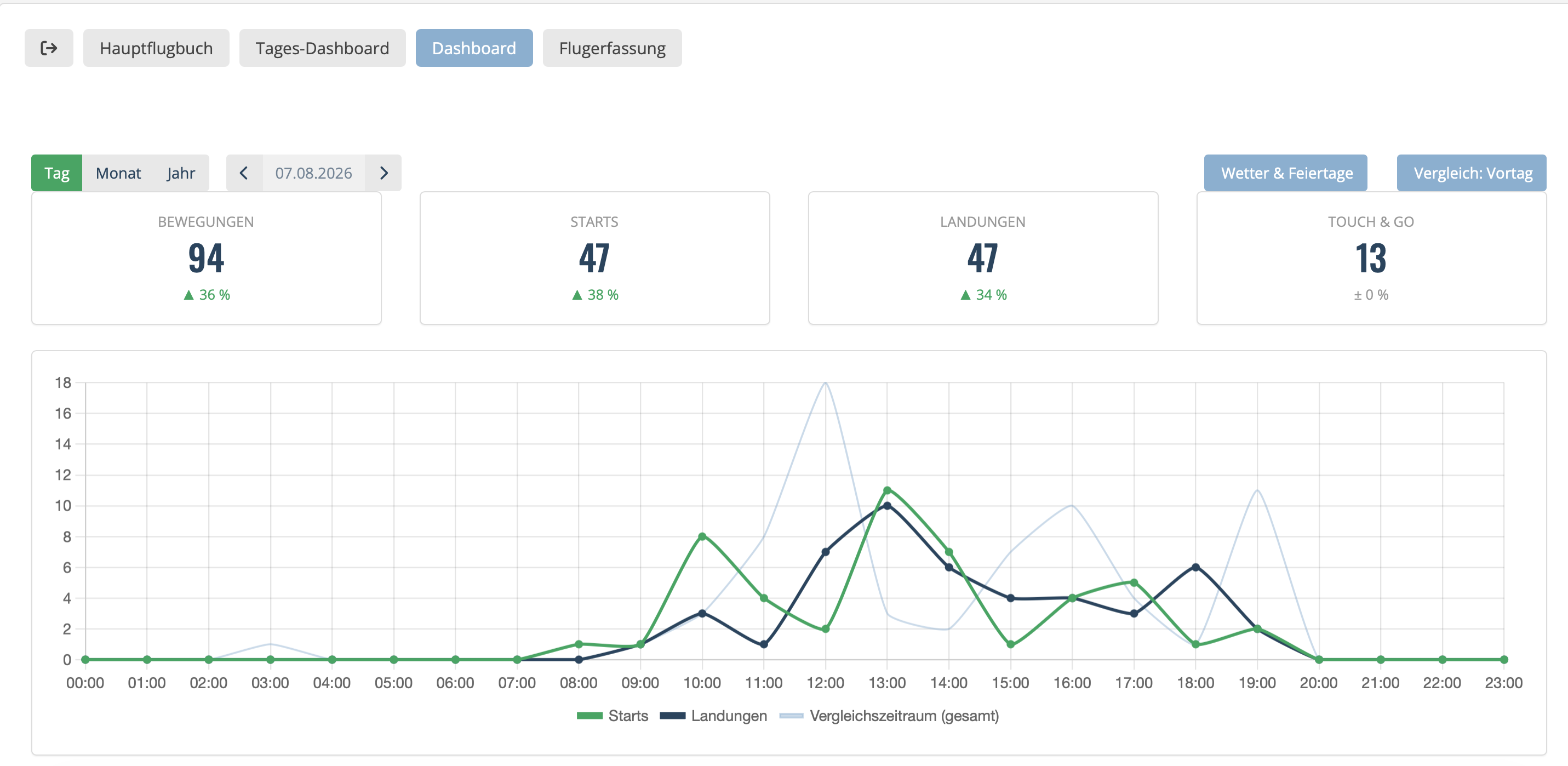
A simplified mobile view is available for smaller, unattended or remotely operated airfields. Detected or prepared aircraft appear directly on the smartphone. Take-offs and landings are recorded with one tap, while touch-and-go movements can be added in seconds using large plus and minus buttons.
Record the movement and close the flight plan in one workflow. Associated flight plans can be closed directly from both the classic and mobile flight recording views without switching to a separate flight plan application.